Mastering ChatGPT with Slash Commands: A New Paradigm in Prompting
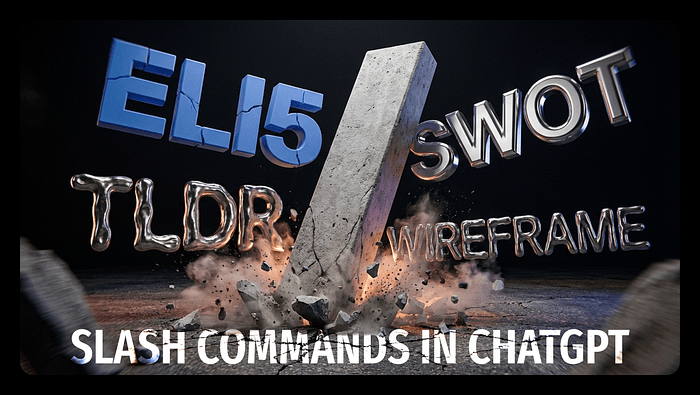
Discover how slash commands can transform your interaction with ChatGPT, enabling more precise and expert-level outputs. A streamlined approach that turns AI into your specialized assistant.
Imagine asking ChatGPT to craft a landing page copy and ending up with text that’s technically correct, yet lacking soul. This is a common frustration among many who rely on AI for writing tasks. But there's a more effective approach that remains underutilized: slash commands. These concise instructions can refine ChatGPT's responses, providing clarity and expertise without endless prompting.
Unpacking Slash Commands
Slash commands work as shorthand directives in your prompts, guiding ChatGPT to adopt specific roles, tones, or formats. These aren’t official features from OpenAI, but rather community-discovered techniques that align the AI with distinct user needs. Familiar abbreviations like ELI5 or TLDR yield stable outputs because the model has encountered them extensively during its training. Such commands act as a bridge, bringing specificity and reducing ambiguity in AI responses.
Yet, there's a caveat. These commands don’t guarantee perfection every time. If your prompt is verbose or conflicted with multiple instructions, the AI might veer off course. Therefore, it's prudent to lock formats using commands like /FORMAT: TABLE, and avoid overloading prompts with more than three to four labels.
Commands That Elevate Your AI Workflow
Those who’ve wrestled with messy AI outputs recognize the importance of formatting commands. Directives like /FORMAT AS: [format] or /LISTIFY prevent the frustration of formatting chaos, transforming responses into actionable data structures like tables or lists. Similarly, role-based commands such as /ACT AS: UX writer, adjust the AI's language and focus, aligning it with professional tasks and audience expectations.
But the question begs, why does this matter? In a world increasingly reliant on AI, the ability to coax expert-level responses from a generalist tool like ChatGPT is invaluable. It saves time, enhances productivity, and reduces the cognitive load on users who constantly toggle between different roles.
The Future of AI Interaction
As AI technology advances, so should our methods of interacting with it. Slash commands offer a glimpse into a future where AI isn’t just a tool, but a dynamic collaborator capable of adjusting to the nuanced demands of its human partners. However, it’s essential that users don't become complacent, relying solely on these shortcuts. The risk is in assuming the AI’s comprehension matches human intuition.
, slash commands aren't just a technical trick. they represent a shift in how we communicate with machines. The deeper question we should be asking: Are we ready to fully embrace AI as a specialized partner in our creative processes? The answer will shape the future of how we harness the potential of artificial intelligence.
Get AI news in your inbox
Daily digest of what matters in AI.
Key Terms Explained
The science of creating machines that can perform tasks requiring human-like intelligence — reasoning, learning, perception, language understanding, and decision-making.
The AI company behind ChatGPT, GPT-4, DALL-E, and Whisper.
The text input you give to an AI model to direct its behavior.
The process of teaching an AI model by exposing it to data and adjusting its parameters to minimize errors.